Fanvil H2U: The Reception Phone That Handles Call Chaos
A busy reception desk is where a business either wins or loses its first impression, and the Fanvil H2U was built for exactly that pressure. When calls stack up, a receptionist needs a phone that answers fast, transfers cleanly, and never fumbles the hold button. This article looks at how the right compact desk phone turns front-desk chaos into calm, and why the smallest phone in the catalogue is often the most important one you will buy.
Reception is high-volume, low-desk-space, and unforgiving of lag. A phone that suits that role has a very different job from an executive’s showpiece handset, and matching the tool to the task is where smart offices pull ahead.
Why Reception Needs a Purpose-Built Phone
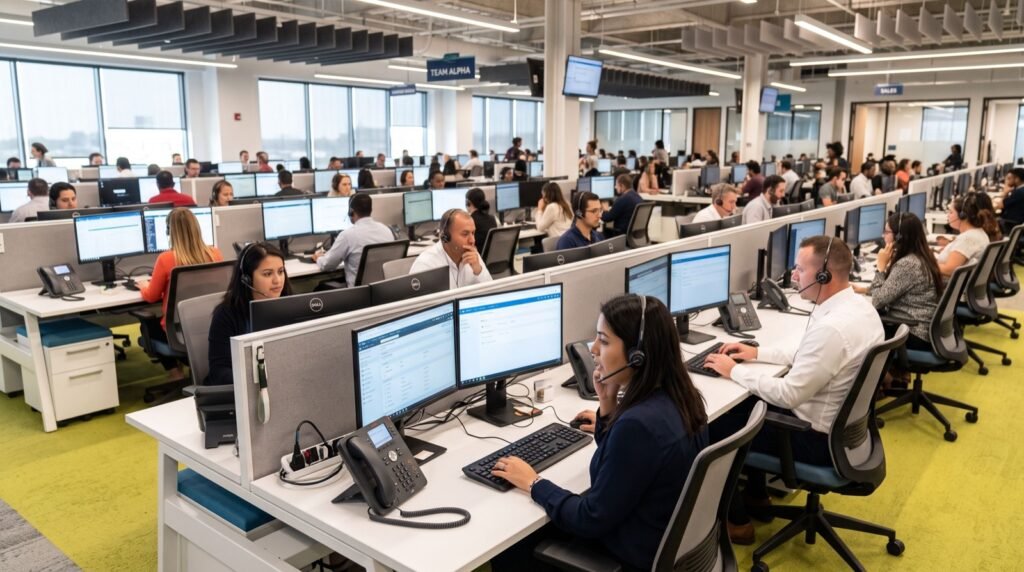
The front desk is the busiest node in your phone system. One person may juggle incoming calls, transfers to a dozen extensions, and walk-in visitors all at once. A general-purpose phone slows that person down; a compact, responsive one speeds them up.
Speed and reliability beat flashy features here. A crisp screen, fast key response, and dependable transfer keys matter more than Bluetooth or a huge display that eats desk space.
What Makes the H2U Suit the Front Desk
The design brief for a reception phone is subtle. It has to be small, quick, and clear, because the receptionist is looking at visitors as often as the screen.
Compact Footprint
Reception desks are cluttered with logbooks, a monitor, and a card machine. A small phone leaves room to work and still sits within easy reach.
Dual SIP Lines
Two SIP accounts let the receptionist manage a second call or a private line without a second device, which keeps the desk tidy and the workflow simple.
Clear HD Audio
Wideband voice cuts through a noisy lobby, so names and extension numbers are heard right the first time and callers are not asked to repeat themselves.
H2U at a Glance
| Attribute | Detail | Why it matters at reception |
|---|---|---|
| SIP accounts | 2 | Handle two lines without a second phone |
| Audio | HD wideband | Clear names over lobby noise |
| Power | PoE | One cable, tidy desk |
| Footprint | Compact | Leaves room for daily work |
| Provisioning | Auto / web | Fast swap if a unit fails |
How Do You Speed Up Call Handling at Reception?
Great hardware only pays off with a smart setup behind it. These configuration steps turn a fast phone into a fast front desk.
- Program speed-dial keys: put your most-called extensions on one-touch buttons.
- Set up ring groups: overflow calls roll to a colleague instead of ringing out.
- Enable busy-lamp presence: the receptionist sees who is free before transferring.
- Record a clear greeting: an auto-attendant handles the first sort so humans handle the rest.
- Test blind and attended transfers: both should be one smooth motion, not a guessing game.
A well-tuned front desk changes how customers perceive the whole company. Getting there is faster with reliable local experts who configure the PBX rules, not just the handset, so overflow and presence actually work on day one.
Building the Wider System Around Reception
The reception phone is the hub, but it needs the right spokes. Managers get colour phones with more monitored keys, general staff get entry handsets, and field teams get a cordless or mobile app on the same directory. Everything registers to one PBX so a single transfer reaches anyone.
If you are still sizing the deployment, exploring a full range of the Best IP phones in Lahore from a single ecosystem keeps support simple, because one provisioning workflow covers every desk from the front counter to the corner office.
An Auto-Attendant Takes the First Wave
Even the fastest receptionist cannot answer three lines at once. A well-designed auto-attendant greets callers, offers a short menu, and routes routine enquiries before a human is needed. That frees the front desk to handle the calls that genuinely require a person, and it stops callers hearing an endless ring during a rush.
Keep the menu short. Two or three clear options beat a long list that frustrates callers. Route anything unclear straight to reception so nobody gets trapped in a phone tree.
Training Matters as Much as Hardware
The finest phone still underperforms with an untrained hand on it. A short, practical induction turns a new receptionist into a confident one within a day.
- Practise transfers: run through blind and attended transfers until they are muscle memory.
- Learn the presence lights: knowing at a glance who is free saves seconds on every call.
- Master hold and park: parking a call so any colleague can pick it up prevents dropped conversations.
- Document the quirks: a one-page cheat sheet at the desk covers holiday cover and new hires.
Reliability Details That Keep the Front Desk Live
A reception phone that goes dark during a power cut defeats the purpose. Plan for continuity.
- UPS-backed PoE switch: keeps the phone and network alive through load-shedding.
- A pre-provisioned spare: swap in a backup handset in minutes if one fails.
- Config backups: export settings so nothing is rebuilt from scratch.
- QoS on the router: voice traffic stays smooth even under heavy data load.
VoIP now underpins the vast majority of new business phone installations globally, a shift documented by standards and research organisations such as ETSI, which publishes many of the telecom specifications that make SIP interoperability possible.
Frequently Asked Questions
Is a compact phone powerful enough for a busy reception?
Yes. For reception, speed and clarity matter more than size. A compact dual-line phone with HD audio and fast keys handles high call volume better than a bulky executive model.
Can the H2U transfer calls to any extension?
Yes. Once registered to your PBX, it performs blind and attended transfers to any extension on the system, and speed-dial keys make the common ones one-touch.
Does it need its own power adapter?
Not if your switch supplies PoE. A single Ethernet cable then carries both power and the call, which keeps the reception desk free of extra adapters.
What happens to reception calls during a power cut?
With the PoE switch and router on a UPS, the phone stays live throughout the outage, so the front desk keeps answering as normal.
Conclusion
The front desk deserves a phone chosen for its actual job, and the compact, fast, clear Fanvil H2U fits that brief better than any oversized alternative. Program smart keys, back the network with a UPS, and build the wider system around a strong reception hub, and every caller meets a company that answers quickly and transfers cleanly. Equip your front desk with the right compact IP phone, and turn call chaos into a calm, professional first impression.